
SCREENSHOT TOUR
Notate, screen by screen.
Twelve screens from Notate on iPad, one task at a time, so you can see what your people will use every day.
01 · WORKSPACE
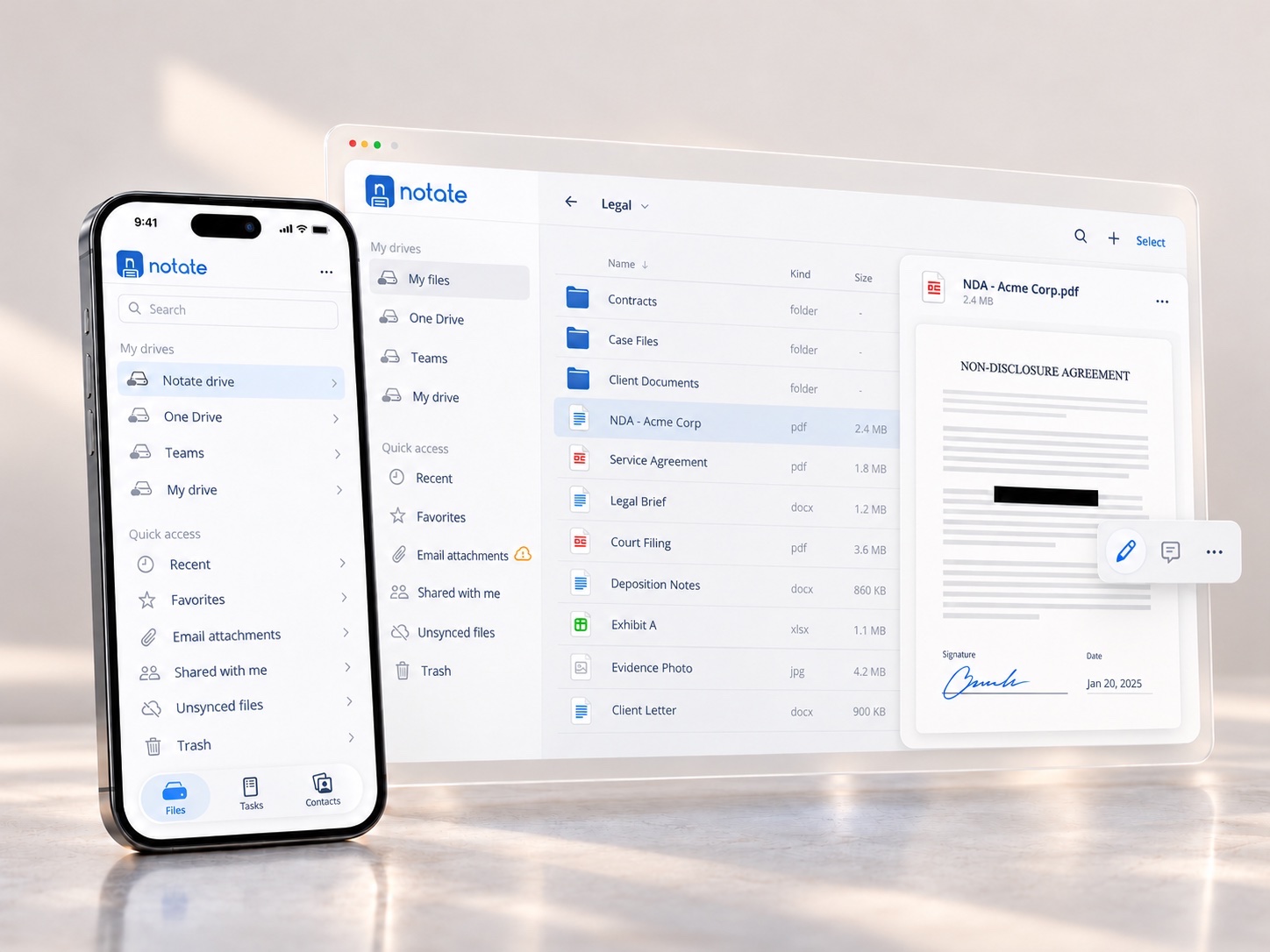
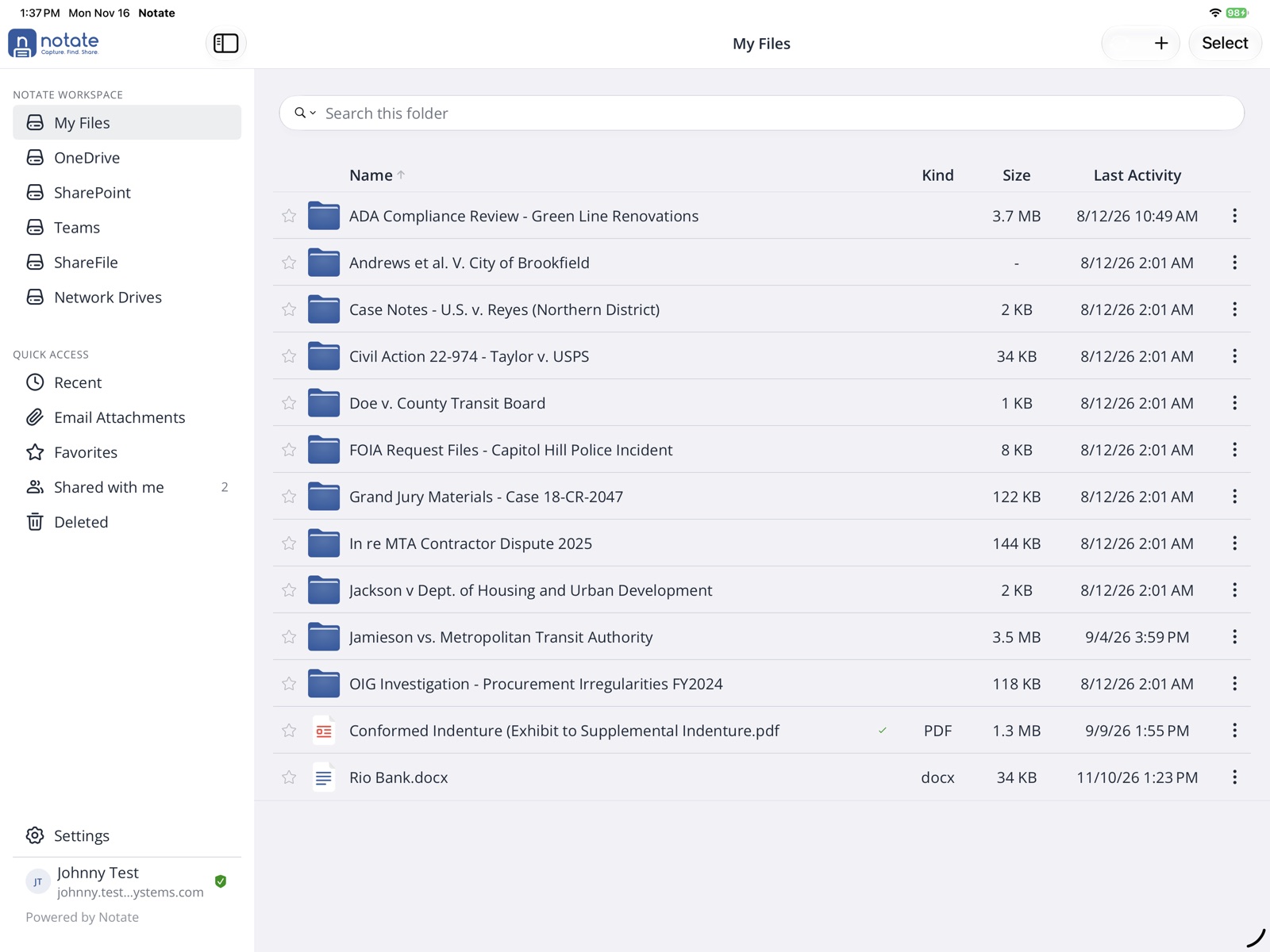
Notate Workspace
Access all of your documents wherever you are, from on-premises Windows file shares to corporate repositories. Your documents are always available, online or off.
02 · EMAIL
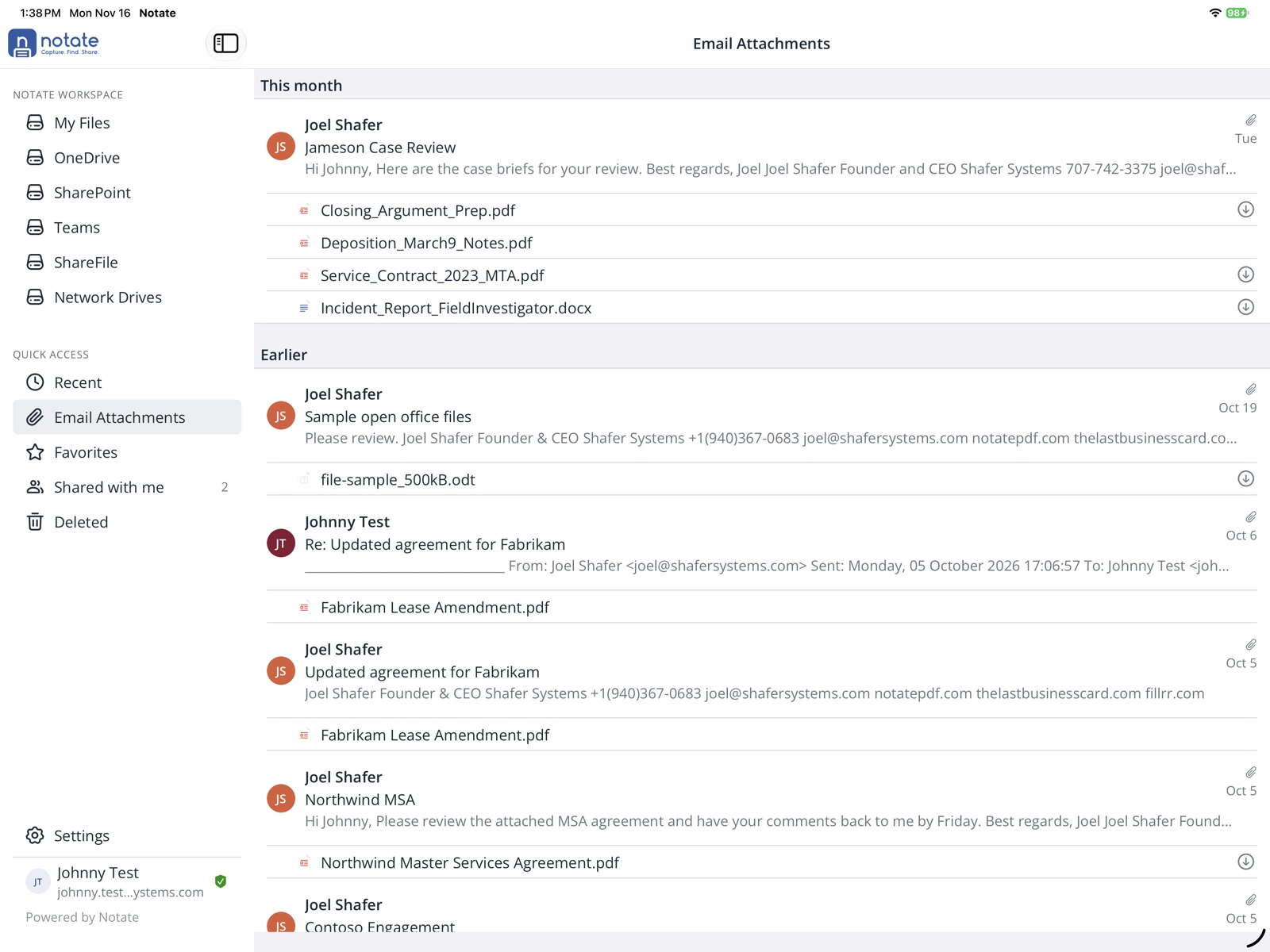
Email workflows
Work faster. Open, annotate and return an email attachment in a few simple clicks, without leaving the application.
03 · PDF MARKUP
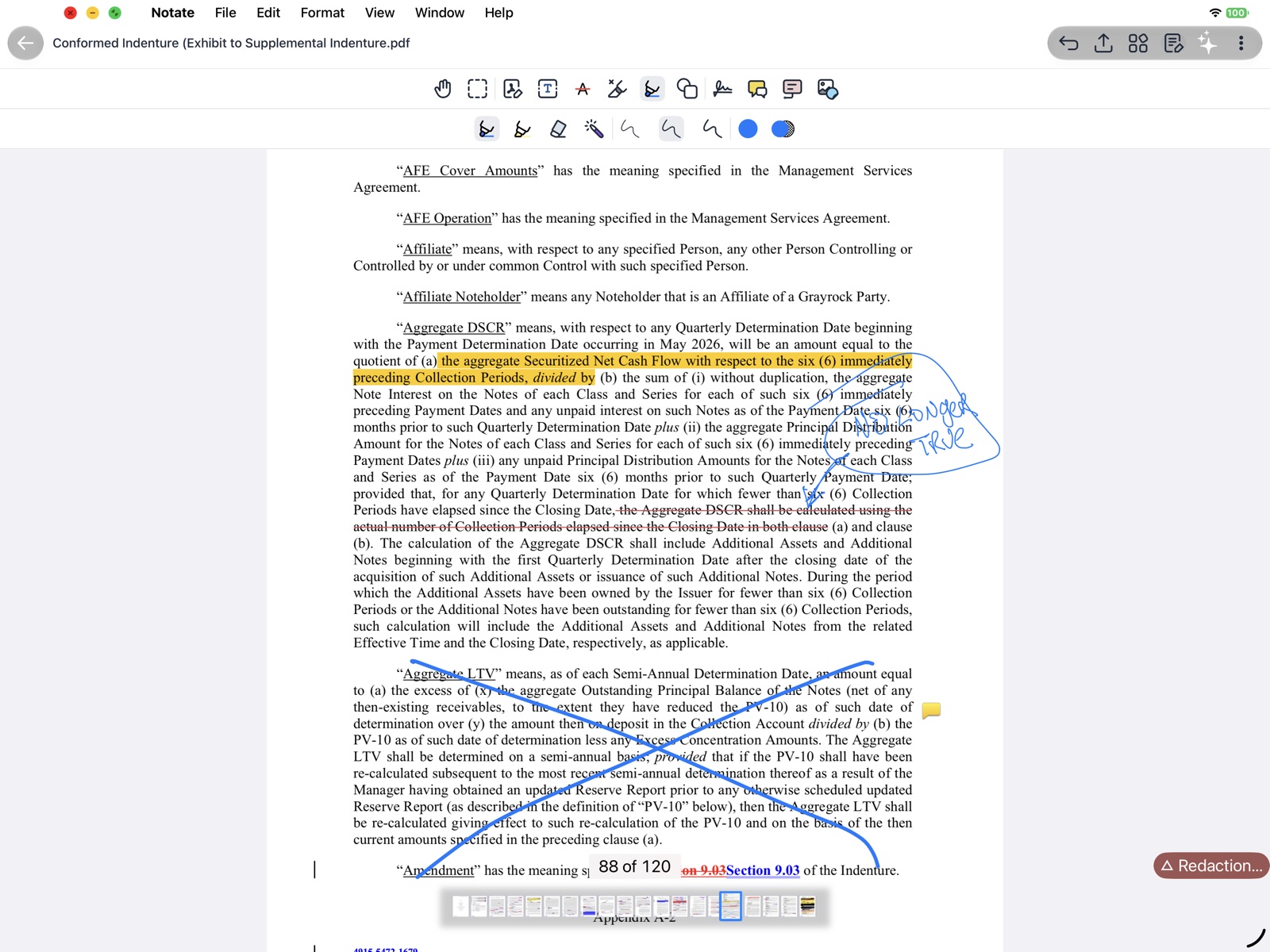
Advanced PDF annotation
All the tools you need to mark up PDFs are at your fingertips. Highlighting, drawing, redaction: everything is easy to reach.
04 · HANDWRITING
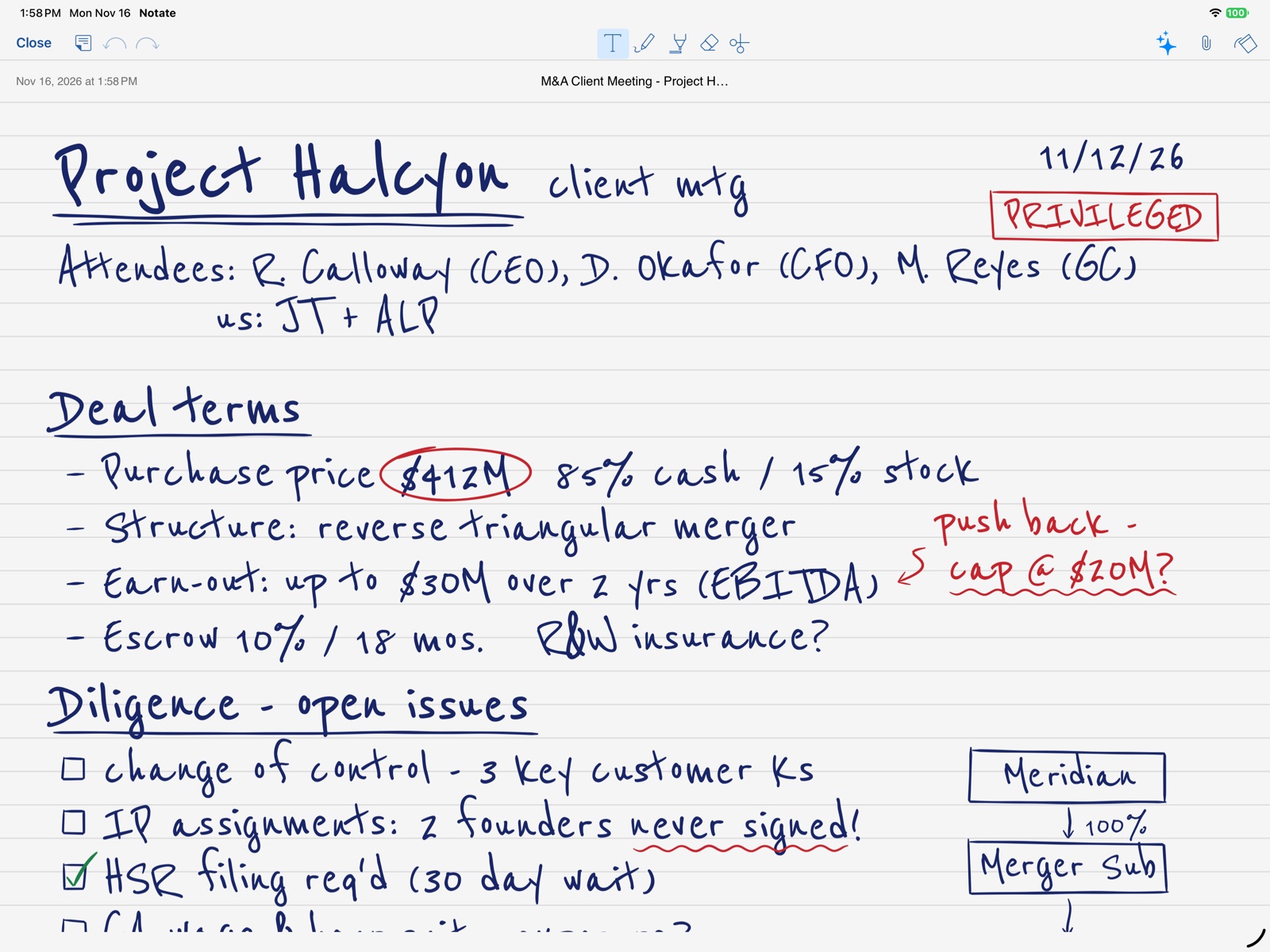
Handwritten notes
Take handwritten notes when working with clients. Later, view them on your desktop, convert them to text, or email them out.
05 · SCANNING
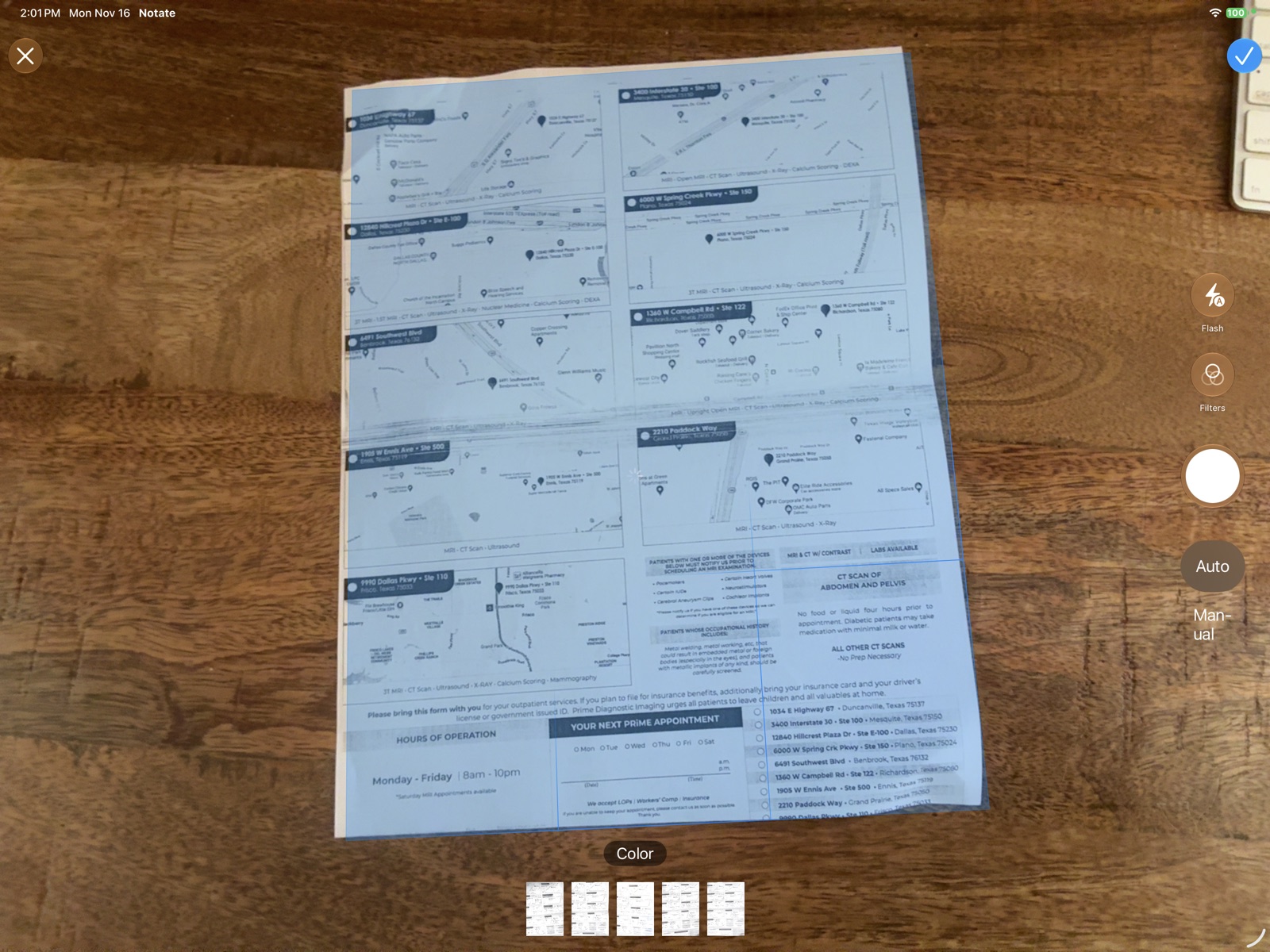
Scan paper documents
Scan documents on the go. Notate recognizes the text (OCR) as it scans, so your documents are searchable. Mark them up with Apple Pencil and email them back out as PDFs.
06 · COMMENTS
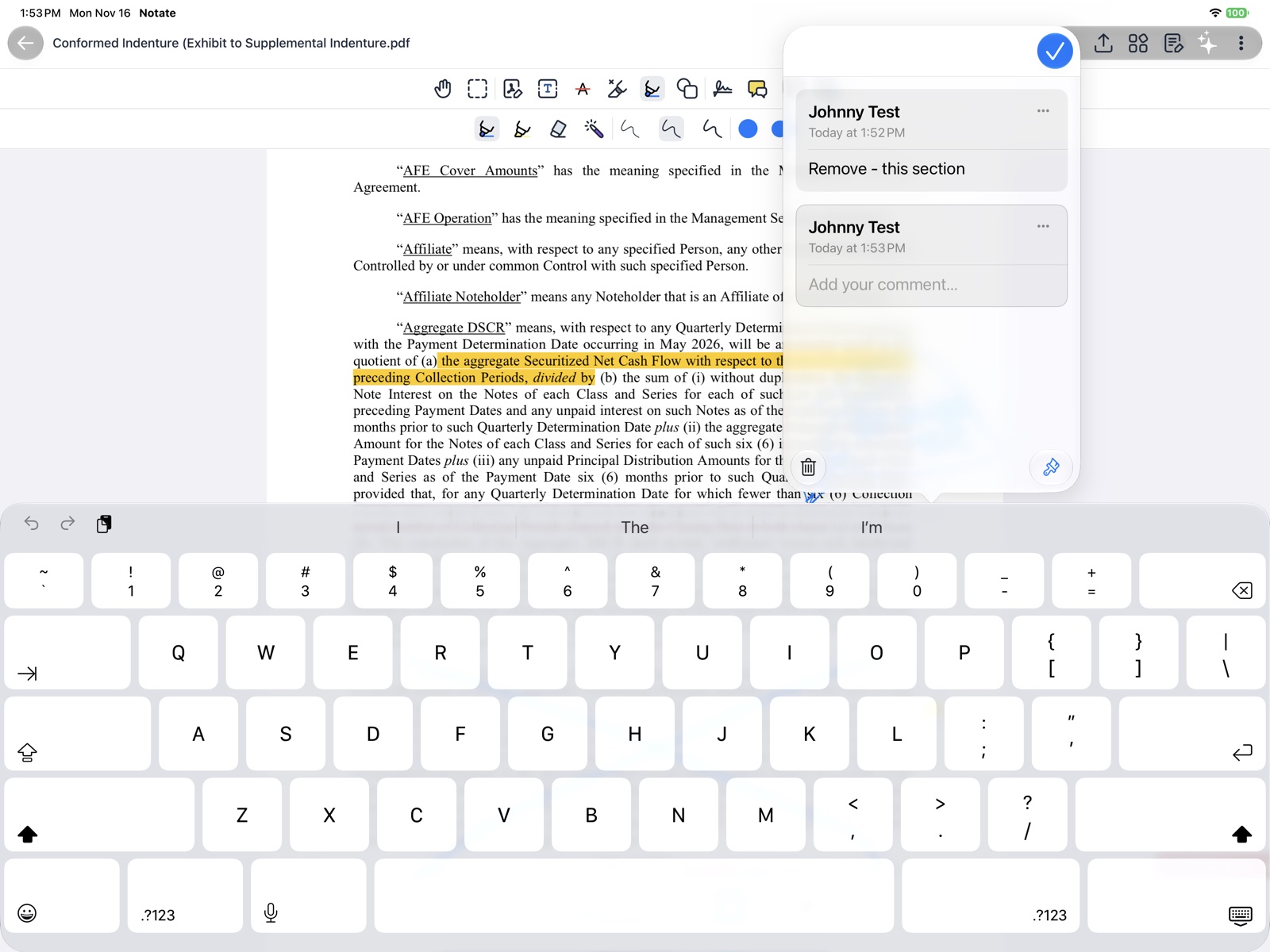
Adobe comments
Hold threaded conversations inside the document, 100% compatible with Adobe on the desktop.
07 · PAGES
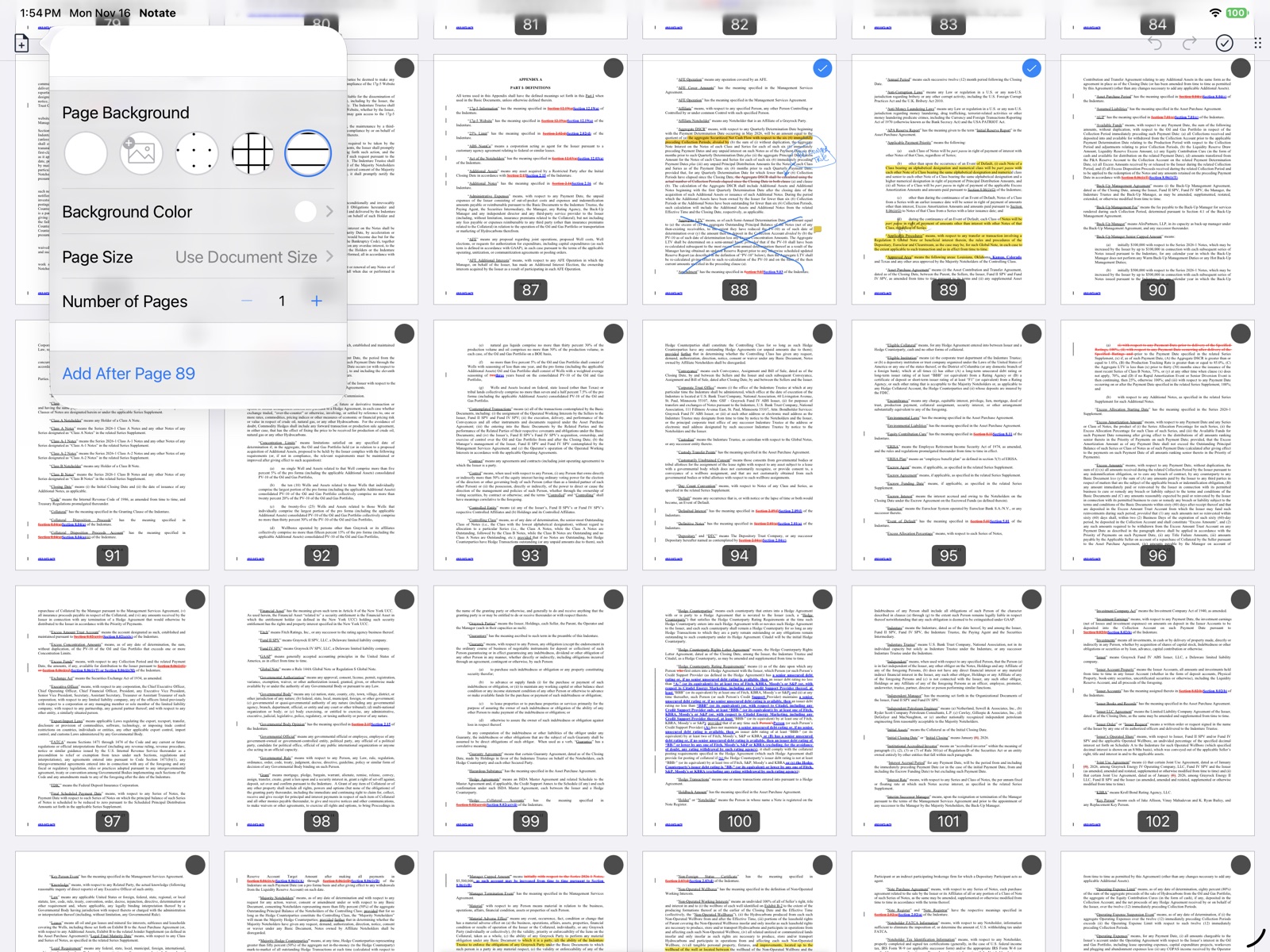
Document page management
Insert, delete, rotate or rearrange pages. Select pages and export them into a new document.
08 · AI
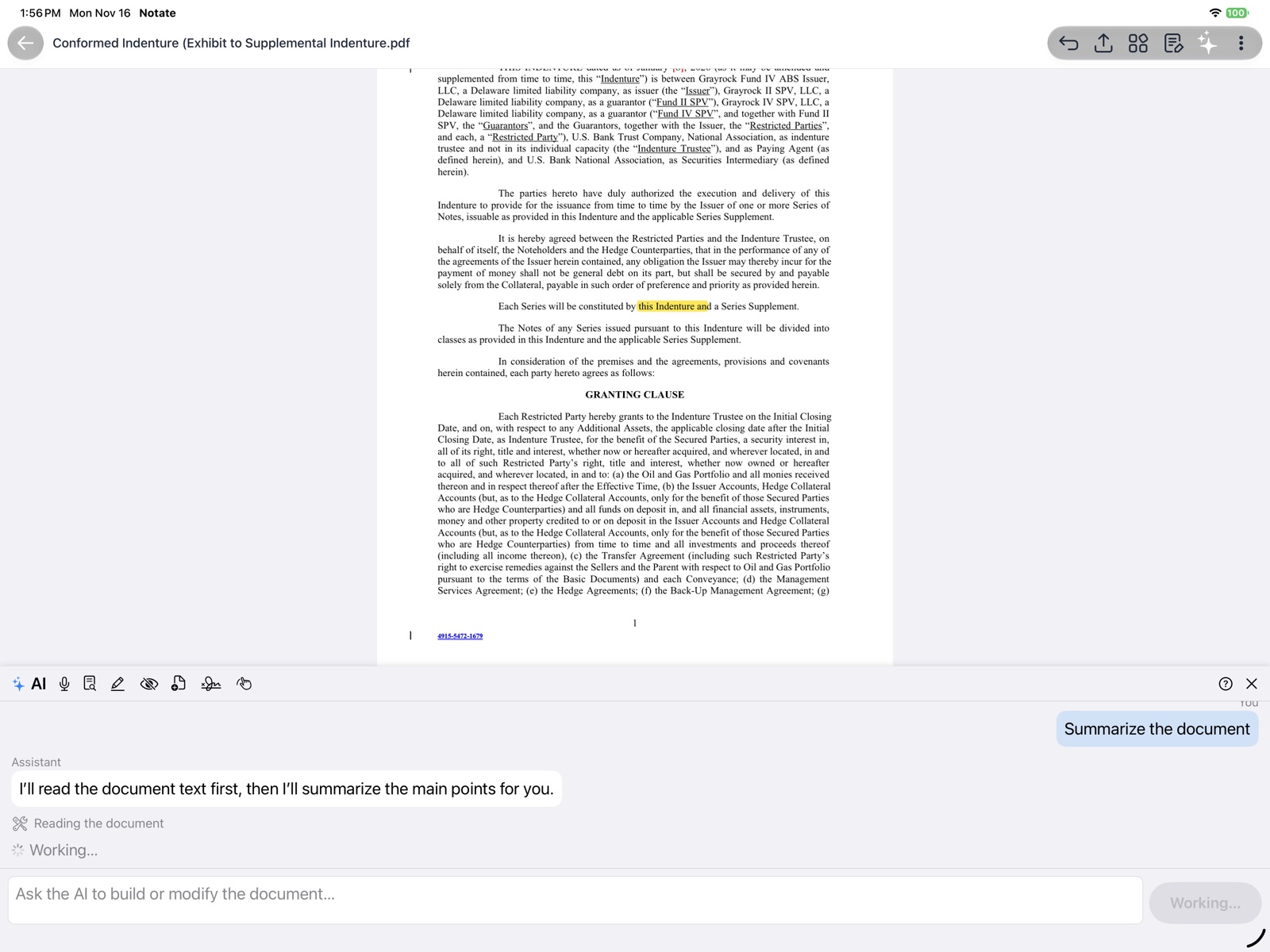
AI summarization
Have AI summarize your document, with optional Microsoft Azure AI integration.
09 · AI
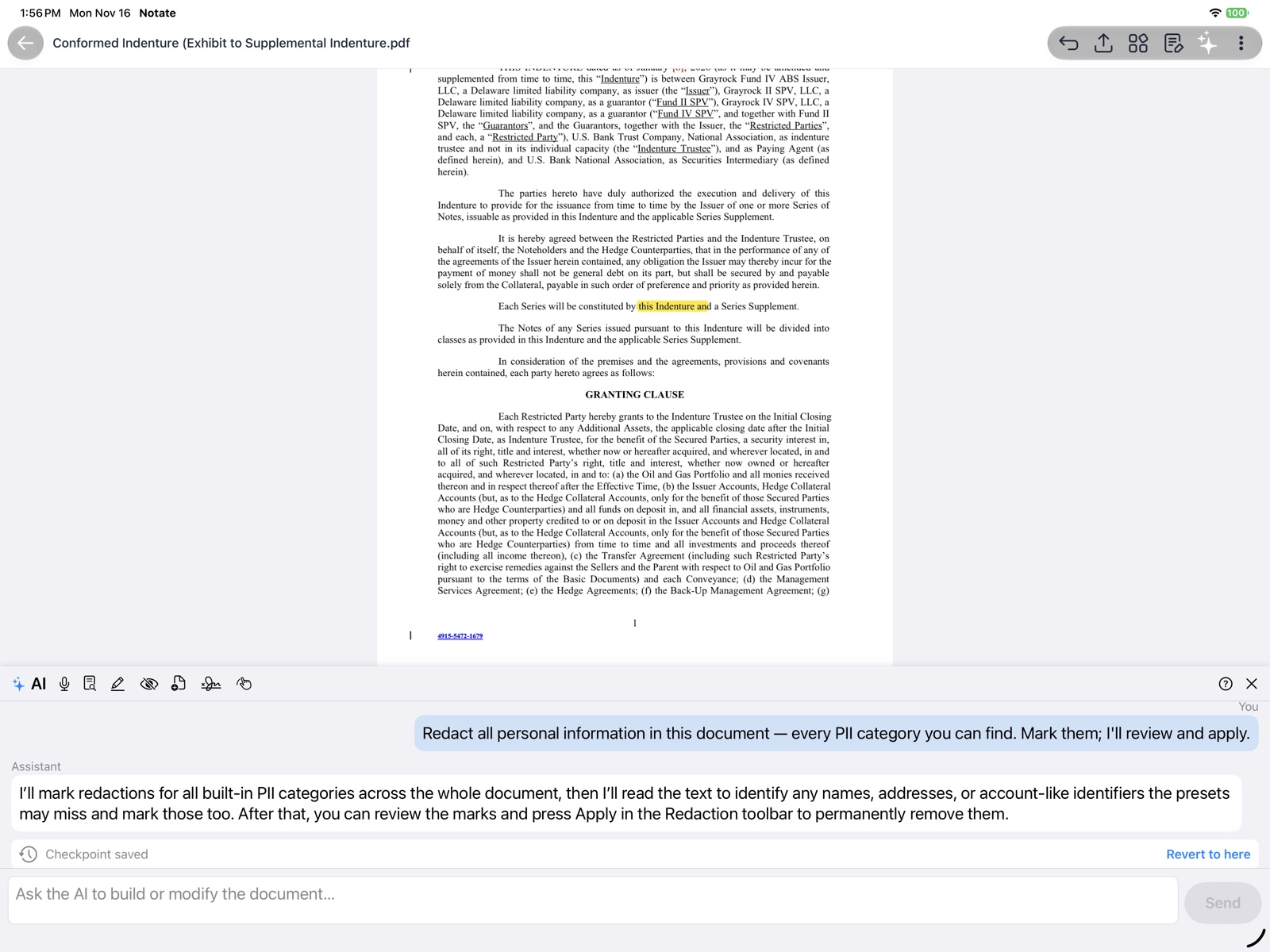
AI redaction
Use optional Microsoft Azure AI to mark personal information in a document for redaction. You review the marks before anything is removed.
10 · MICROSOFT OFFICE
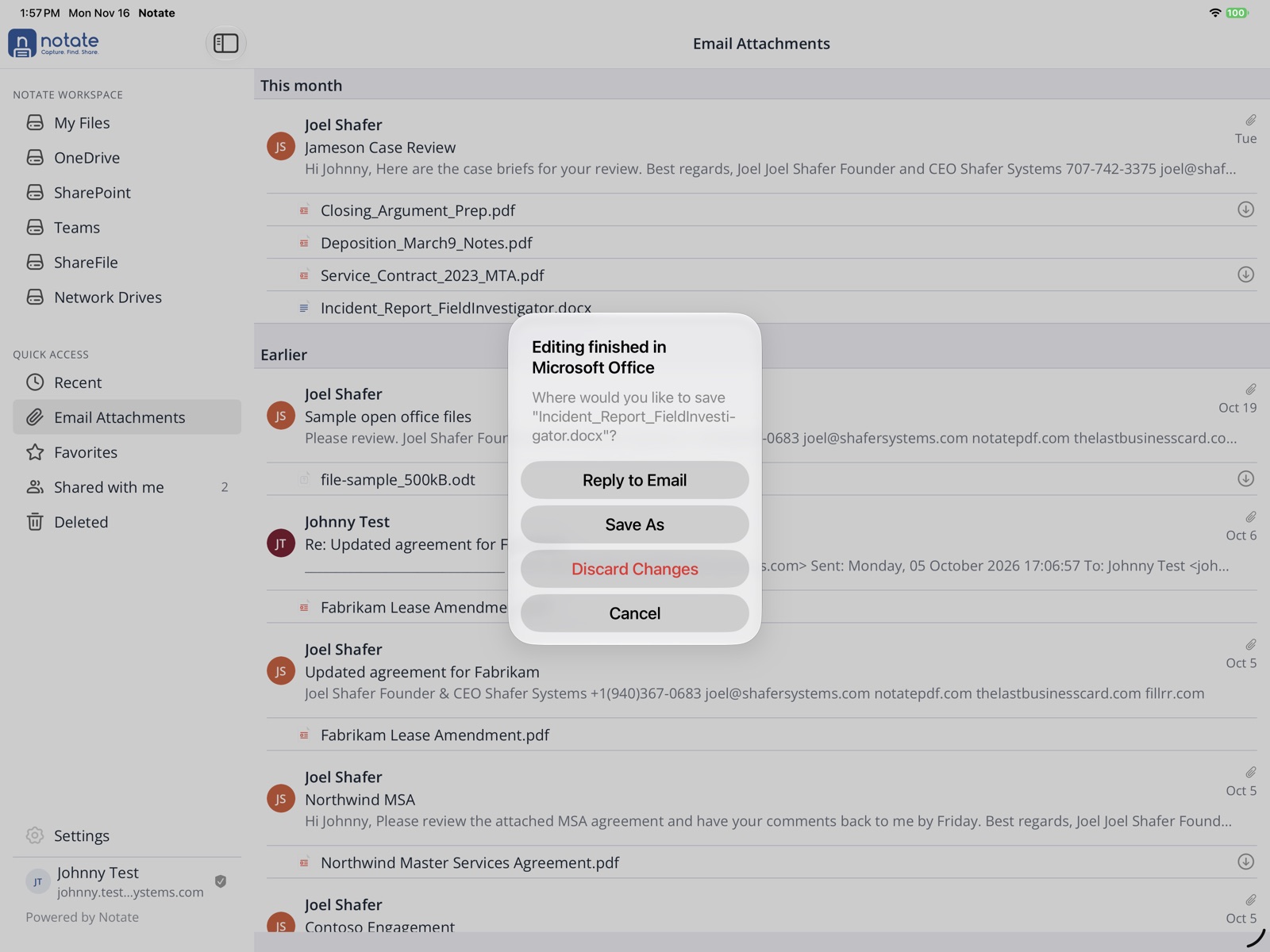
Microsoft Office workflow
Open and edit Office documents from email, then save them back to the right corporate repository.
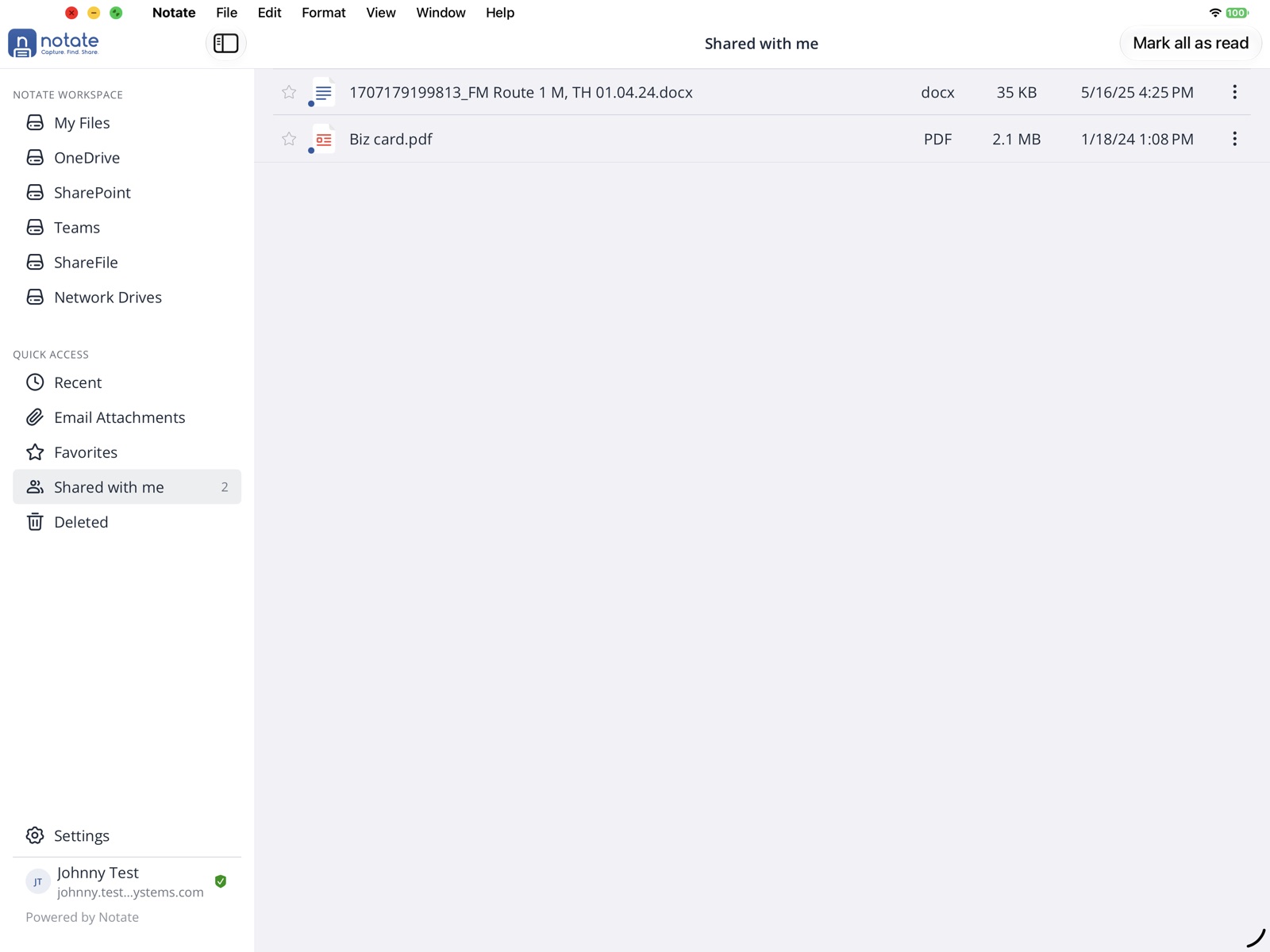
11 · SHARING
Share documents
Collaborate with colleagues through shared folders and shared documents.
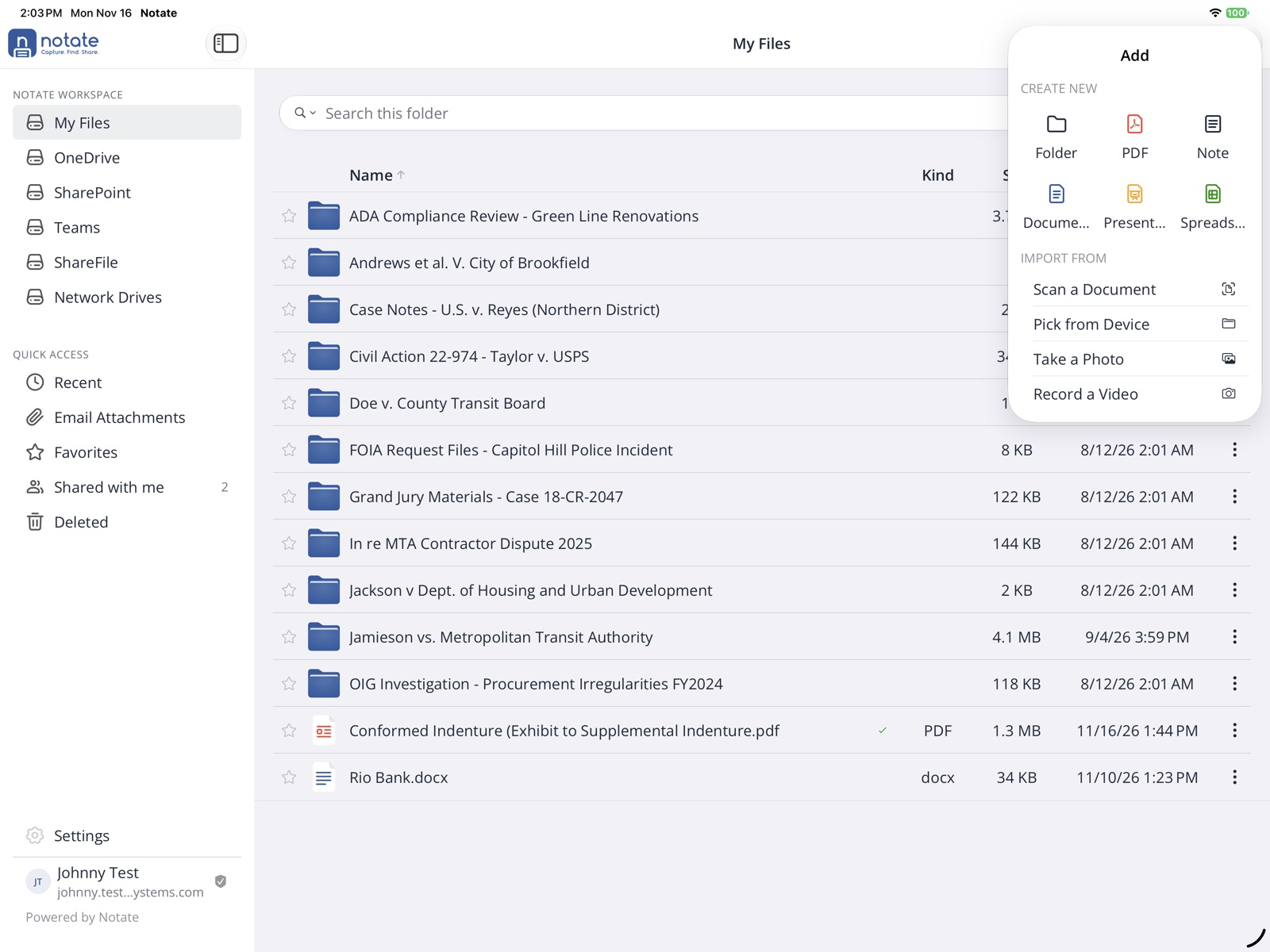
12 · IN THE FIELD
Create on the go
In the field, create and upload document scans, images, videos, handwritten notes, and even new Office documents.
NEXT STEP
See it with your own documents
Try Notate in your web browser now, or set up a free trial for your organization and test it with your own documents, devices and MDM.
Try Notate Live Start a free trial