

Open a private demo workspace with sample documents, right in your browser. There is no sign-up and nothing to install. The demo lasts 30 minutes, and everything in it is deleted afterward.
For organizations that use Microsoft 365. Notate Desktop is for Windows and Mac computers. It runs in your web browser, so there is nothing to install. If your organization runs Microsoft Exchange on its own servers (on premises), see Legacy Desktop.
Notate for your computer
Notate Desktop is a full Notate client, just like Notate on an iPad. It supports the same functionality, look and feel. Your users work with the same files, folders and favorites they have on their mobile devices.
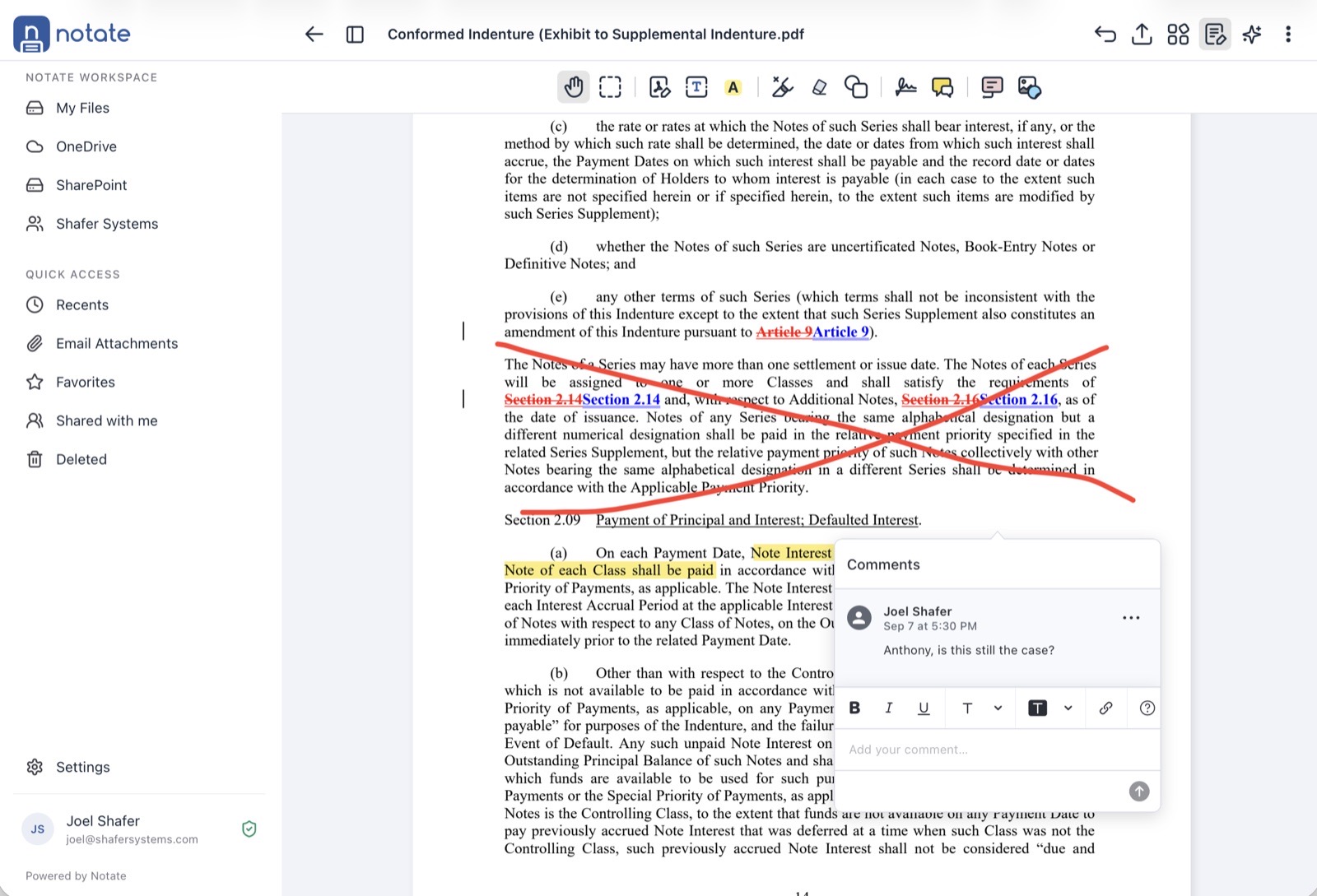
It includes a full PDF editor:
-
Edit the document's own content, not only markup on top of it.
-
Sign documents.
-
Annotate: highlight, draw, and add text and comments.
-
Compare two documents side by side, choose which parts of each to keep, and merge them into a new document.
Your data stays in your Microsoft 365 tenant
Notate Desktop opens in a browser, but it is not a cloud service. The app runs entirely on your computer, in the same way Notate runs on a mobile device. Your documents and notes travel only between your computer and your organization's Microsoft 365 tenant. None of your data leaves your tenant.
Your browser loads the Notate program itself from app.notatepdf.com, much as the App Store delivers the mobile app. Your documents are never part of that.
Before you start: open Notate on a mobile device first
Notate Desktop reads each user's license and policies from their Notate Drive, where Notate on their mobile device stores them. Each user therefore needs to open Notate on their mobile device and sign in once before they use Notate Desktop. After that, Notate Desktop follows the same policies you set in your MDM.
Open Notate Desktop
Go to https://app.notatepdf.com and sign in with your Microsoft 365 work account. Bookmark the address for next time.
Which Notate for your computers?
|
Your organization's email |
Use |
|---|---|
|
Microsoft 365 (Exchange Online) |
Notate Desktop (this page) |
|
Microsoft Exchange on your own servers (on premises) |