

A Notate note holds typed text, handwriting, checklists, images, audio and attachments together. Notes are stored as .notate files alongside your other files, so you can file them in any folder and find them with search.
To create one, tap + in a folder and choose Note.
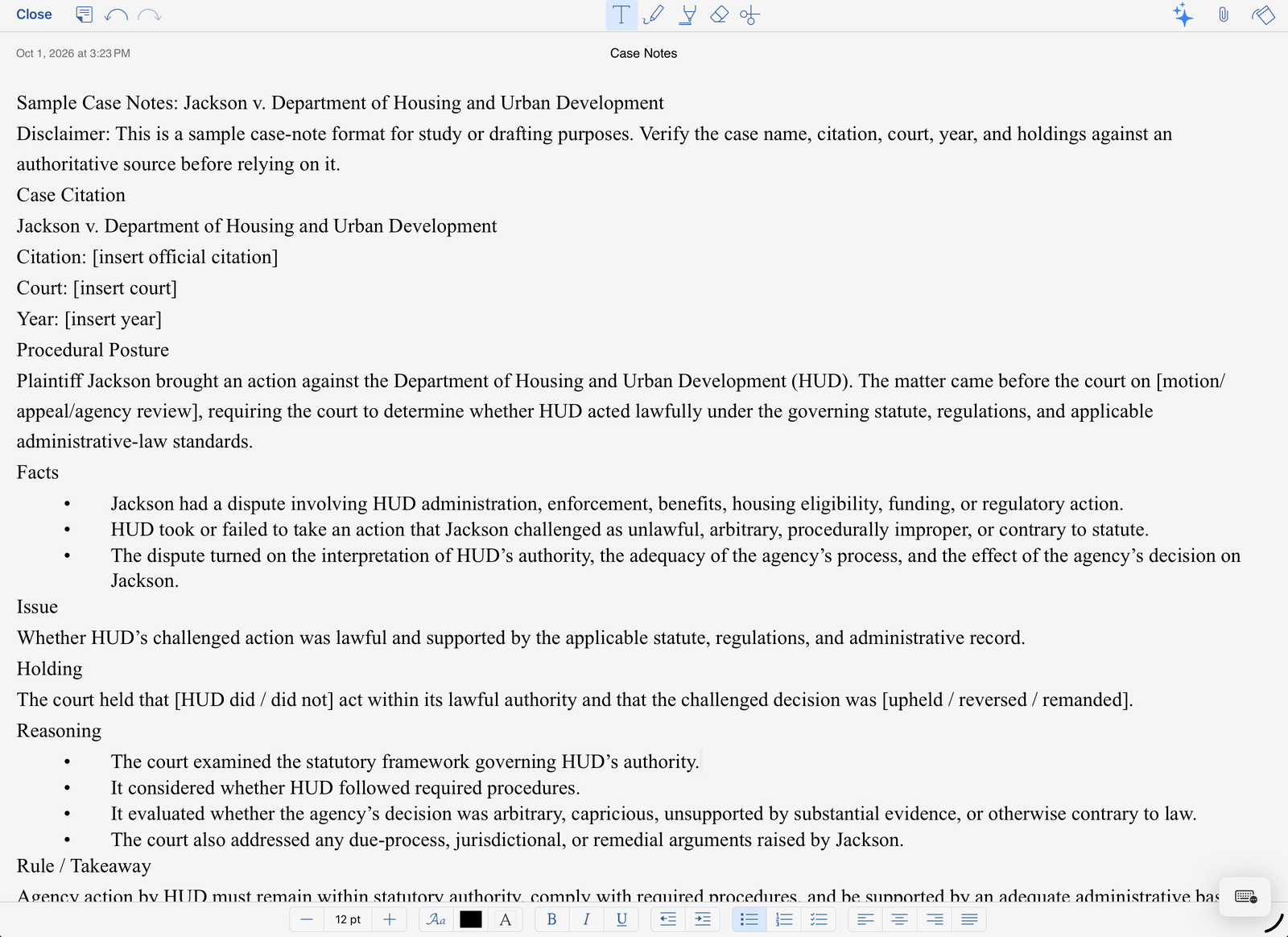
The toolbar
-
Close, undo and redo, on the left. Notes save automatically.
-
In the middle: typing, pen, highlighter, eraser and lasso (select and move handwriting). Use Apple Pencil or your finger.
-
On the right: the AI assistant (if your organization has turned it on), and attachments (audio, photos, images and files).
Formatting
While you type, the bar at the bottom sets text size, font, color, bold, italic and underline, indentation, bulleted and numbered lists, checklists and alignment.